

3.1
Free
Imagine Picture Viewer
Free photo viewer and editor
.png)
IrfanView free download. Always available from the Softonic serversIrfanView free download. Always available from trusted servers.
View an ad to download for free
From Softonic servers
Free
Free photo viewer and editor

Free
Powerful free image viewing suite with additional editing options

Free
A simple photo viewer with an easy interface

Free
An easy-to-use file explorer!

Free
Lightweight image viewer

Free
Free and easy-to-use image viewer

A smooth starting point for everyday design
Make your own photo slideshow screen saver

Free Photography Software for Windows

An easy way to update Adobe Photoshop!

StereoPhoto Maker turns stereo pairs into watchable 3D

Free software to convert images into PDF files

Convert Images Quickly with Best Free Image Converter

PDFgear: Free Windows Photography Software
IrfanView is a free image viewing and manipulation program available for a wide variety of platforms. In addition to providing a smooth viewing experience for bot small and large albums, it scales images, can save them in a wide variety of formats, and can play several types of animated images.
Versions of the program exist for Windows as early as Windows 95/98 and the most recent version supports various versions of Windows. There are workarounds to enable running the program on Mac OS X and Linux as well.
The program can be used to both view and save the same huge variety of formats. Common supported formats include BMP, GIF, PNG, and JPEG, and others include PDF and ICO. Plugins can enable the program to support other formats that are not available by default.
Under File, select "Batch Conversion/Rename". Add your files to the list, select your desired effect (conversion or rename), select a renaming format if necessary, and select an output directory (or press "Use current 'look in' directory to use the directory you're already browsing). Then add images and press the "Start Batch" button.
To view a slideshow of all images in a folder, press Shift+A or select the option "Start or stop automatic viewing" under Options. No check mark will appear, but images will cycle, including if you press Enter to zoom to fullscreen. The speed and other functionality of the slideshow can be changed under Options -> Properties/Settings.
Use the mouse cursor to select the portion of the image that you want to keep. Then, under Edit, select "Crop selection (Cut out)". You may then save the image as modified, or close the program to restore it.
Under Options, select Capture/Screenshot. Select a capture method and area on the right and left hand sides, respectively, then select a saving method. After you press Start, you will be able to take screenshots.
Plugins can add a wide variety of functions to the program. By default, it is capable of bringing up a Paint dialog or resizing images, under Edit, or performing other common editing tasks such as applying filters, under Image. Many functions are contained in those two top row menu options.
In recent versions, select Options, then Set file associations. In more recent versions of Windows, you must run IrfanView in admin mode (by right clicking it and selecting "Run as Administrator") first.
Plugins can be downloaded from the official website and then installed, generally with an executable. As of this writing, the plugins can be downloaded all in one package, or in one of four sets of plugins.

Excellently simple photo resizer and converter

A Feature-Packed Photo Editing Software for Professionals
An easy-to-use file explorer!
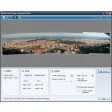
Download Microsoft Image Composite Editor for Windows
A smooth starting point for everyday design
Powerful free image viewing suite with additional editing options
Resize your images from Explorer

A free app for Windows, by Microsoft Corporation.

Enhance Your Designs with Magic Pack PNG

Create Stunning Presentations with Ease

Enhance Your Photos with AliveGlow Plugin

Corel Snapfire: A Free Multimedia Photography Tool